
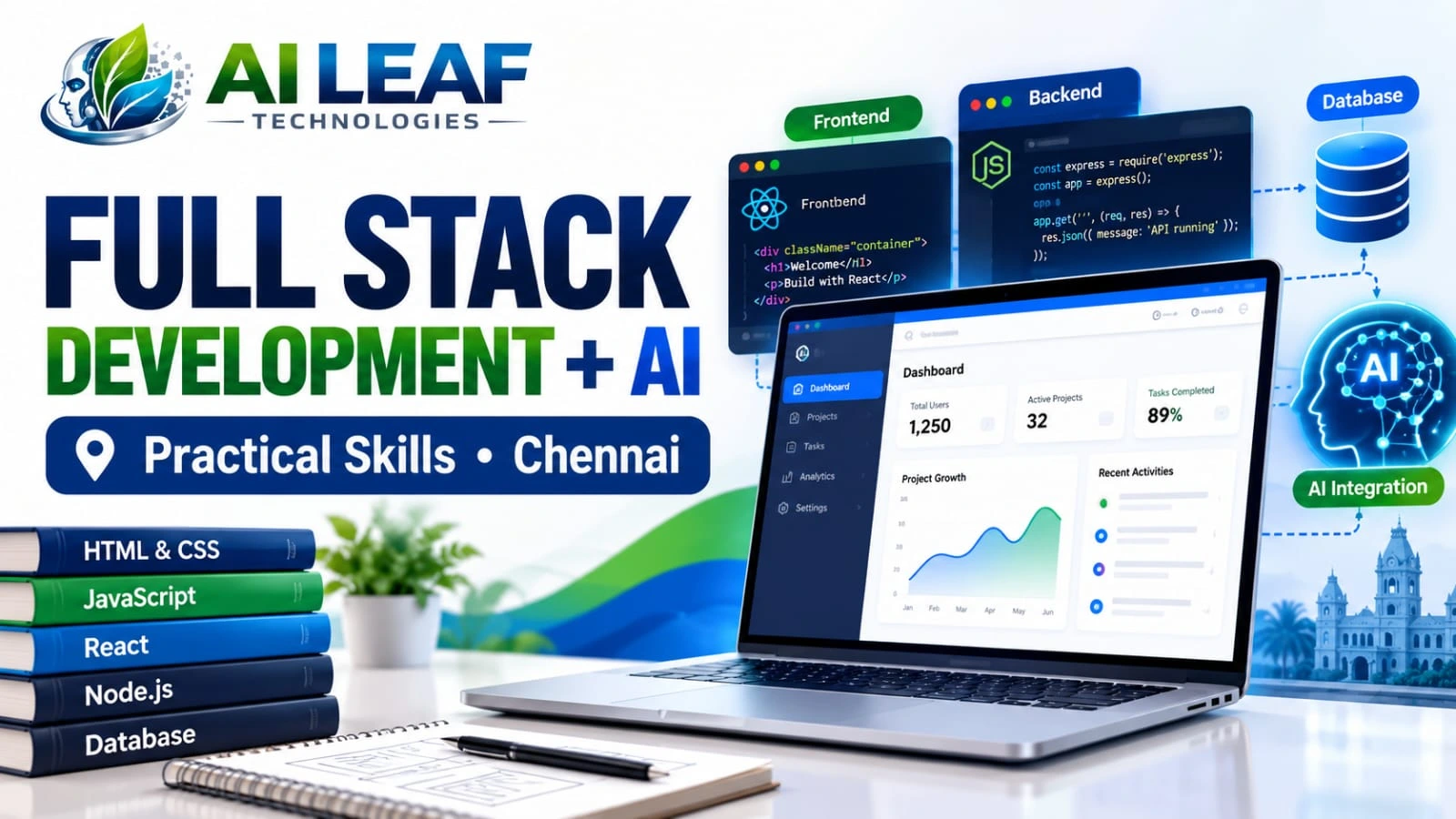
Why Choose a Full Stack Development +AI Course in Chennai for Practical Skills?
Table of Contents
- Introduction
- Why Beginners Find Development Difficult
- How a Full Stack Application Works
- Frontend Development Skills
- Backend, APIs and Databases
- Using AI in Web Development
- Projects for a Strong Portfolio
- Preparing for Developer Roles
- How to Evaluate a Training Course
- AI Leaf Technologies
- Conclusion
- Frequently Asked Questions
Why Choose a Full Stack Development +AI Course in Chennai for Practical Skills?
𝗜𝗡𝗧𝗥𝗢𝗗𝗨𝗖𝗧𝗜𝗢𝗡
Have you learned basic programming but still find it difficult to turn your ideas into working websites? Perhaps you can create a webpage, but adding user accounts, saving information or connecting different features feels confusing. These are common hurdles when moving from introductory coding lessons to application development.
A Full Stack Development +AI Course in Chennai is worth exploring if you want to understand how complete web applications are created and how artificial intelligence can support selected features. Full stack development connects the visible parts of a website with the systems that process requests, manage information and deliver results.
AI adds another dimension to this learning path. Developers can explore AI-powered search, content summarisation and intelligent assistance while learning to check outputs, protect user information and manage service costs.
The real value of learning these skills comes from understanding how they work together. Instead of collecting code snippets from tutorials, learners should aim to plan features, build functional projects, investigate errors and explain the technical decisions behind their work.
𝗪𝗛𝗬 𝗕𝗘𝗚𝗜𝗡𝗡𝗘𝗥𝗦 𝗙𝗜𝗡𝗗 𝗗𝗘𝗩𝗘𝗟𝗢𝗣𝗠𝗘𝗡𝗧 𝗗𝗜𝗙𝗙𝗜𝗖𝗨𝗟𝗧
Learning individual concepts is different from combining them into a functioning product. Understanding these challenges can help learners focus their practice on the areas that matter most.
Challenge 1: Turning an idea into a working application
A project may sound simple at first, but it involves planning screens, deciding what data to store, defining user actions and connecting the required components.
A practical approach: Begin with one clearly defined problem. For a task management application, first create the screen that displays tasks. Then add the ability to create and edit them. Once that workflow works, introduce data storage and other features.
Challenge 2: Learning technologies without understanding their roles
Studying several frameworks and tools at the same time can make the learning process confusing, particularly when the relationship between them is unclear.
A practical approach: Build knowledge in stages. Understand HTML, CSS and JavaScript before progressing to frontend frameworks. Then explore backend programming, APIs, databases and deployment. Introduce AI services after learning how an ordinary application handles data.
Challenge 3: Finding and correcting programming errors
An application may display correctly but fail when a user submits a form, refreshes a page or enters unexpected information.
A practical approach: Learn to read error messages, inspect network requests, test different inputs and isolate the part of the code causing the problem. Correcting errors is an important development skill, not merely an inconvenience.
Challenge 4: Using AI without understanding its output
AI coding tools can suggest functions and explain programming concepts, but the generated answer may not match the application’s requirements.
A practical approach: Treat AI output as a suggestion to review. Check the logic, test the code and understand its limitations before integrating it into a project. This builds stronger technical judgement than copying a solution without evaluation.
𝗛𝗢𝗪 𝗔 𝗙𝗨𝗟𝗟 𝗦𝗧𝗔𝗖𝗞 𝗔𝗣𝗣𝗟𝗜𝗖𝗔𝗧𝗜𝗢𝗡 𝗪𝗢𝗥𝗞𝗦
Consider an online study planner designed for college students. A student could add subjects, organise deadlines and view a weekly schedule. To make those actions work reliably, several parts of the application must communicate.
The frontend presents the screens, input fields, buttons and information users interact with.
The backend receives requests, applies application rules and decides how information should be processed.
The database retains details such as tasks, deadlines and user preferences.
APIs define how different parts of the application exchange information.
An AI service could generate a suggested revision plan from the student’s available time and chosen subjects.
For example, when a student creates a task, the frontend sends the information to the backend. The backend validates the request and stores the record in the database. The application can then display the saved task.
If the request fails or the data is not stored, the user experience breaks down. Understanding the full workflow helps developers identify where problems occur and how to fix them.
This connected view of development is useful because real applications depend on more than the appearance of a webpage. They also need reliable data handling, appropriate security and predictable behaviour.
𝗙𝗥𝗢𝗡𝗧𝗘𝗡𝗗 𝗗𝗘𝗩𝗘𝗟𝗢𝗣𝗠𝗘𝗡𝗧 𝗦𝗞𝗜𝗟𝗟𝗦
HTML, CSS and JavaScript
HTML defines the content and structure of a webpage. CSS determines how that content is arranged and presented, while JavaScript controls interactive behaviour such as responding to clicks, validating forms and updating displayed information.
Practise creating navigation menus, input forms, responsive layouts and interactive dashboards. Pay attention to what happens when a form is incomplete, a request takes time or an action fails. Clear feedback helps users understand the application’s state.
Accessibility should be part of the process from the beginning. Readable typography, descriptive labels, sufficient contrast and keyboard-friendly controls can make interfaces easier for more people to use.
React and Reusable Components
React provides a way to organise user interfaces into components that can be reused across different parts of an application. A dashboard might include a navigation panel, a summary section, a search filter and a task list.
Learners should practise passing information between components, responding to events and displaying data retrieved from APIs. They should also understand loading indicators, error states and how the interface responds when data changes.
The official React learning guide is a useful reference for studying these concepts.
The aim is to understand why a component is structured in a particular way and how it behaves when the application changes. This understanding becomes more useful as a project gains features and requires maintenance.
𝗕𝗔𝗖𝗞𝗘𝗡𝗗, 𝗔𝗣𝗜𝗦 𝗔𝗡𝗗 𝗗𝗔𝗧𝗔𝗕𝗔𝗦𝗘𝗦
Node.js and Express
Node.js allows JavaScript to execute outside the browser. Express can be used with Node.js to create web servers and APIs that process application requests.
These technologies may support features such as account workflows, search operations, form submissions and communication with stored data. Learners should become familiar with HTTP methods, request formats, response codes, validation and error handling.
Security is equally important. Authentication establishes a user’s identity, while authorisation determines which actions or records that user may access. An application should not assume that every request is trustworthy simply because it comes from its own interface.
Choosing and Working With Databases
Applications often need to retain information between sessions. A shopping website may store product records, while a scheduling tool needs to preserve tasks and deadlines.
Relational databases such as MySQL and PostgreSQL organise information using tables and relationships. MongoDB follows a document-oriented approach. The appropriate choice depends on the application’s data model and requirements.
Practise inserting records, retrieving specific results, updating information and handling invalid requests. Learn how permissions and safe query practices reduce the risk of unauthorised access or incorrect data handling.
Version Control and Deployment
Git records changes to source code, making it easier to understand how a project has developed. GitHub can host repositories and support collaboration. Deployment makes the application available in its intended environment.
A useful practice is to maintain a clear project structure, write meaningful commit messages and include setup instructions. Before deployment, test important workflows and confirm that passwords, private tokens and API credentials are not exposed in public code.
These practices help learners develop a more complete understanding of software delivery.
𝗨𝗦𝗜𝗡𝗚 𝗔𝗜 𝗜𝗡 𝗪𝗘𝗕 𝗗𝗘𝗩𝗘𝗟𝗢𝗣𝗠𝗘𝗡𝗧
AI can extend a web application when its capabilities are matched to a specific user need. The objective should be to improve a task, not to add an AI feature simply because the technology is available.
For instance, a study planner could produce a draft timetable from the user’s available hours. A support dashboard could summarise lengthy enquiries for staff review. A product website might let visitors describe an item in everyday language instead of relying only on exact search terms.
Developers need to understand the technical workflow behind these features. The application sends suitable input to an AI service, processes the response and presents the result in a way users can understand.
What learners should understand about AI integration
– How API credentials are configured and protected.
– How requests and responses are handled.
– What to do when an AI service is unavailable.
– How to validate results before using them.
– How to manage response delays, usage limits and costs.
– Which information is appropriate to send to an external service.
– How to give users an opportunity to review generated content.
AI responses may be inaccurate or unsuitable for a particular task. Important actions should therefore include appropriate validation and human review where necessary.
API secrets should be stored in a secure server-side environment rather than exposed in frontend code. Personal or confidential information should only be shared with external services when the relevant handling is authorised and appropriate.
Learning these principles helps developers build AI features that are not only interesting to demonstrate but also more responsible to use.
𝗣𝗥𝗢𝗝𝗘𝗖𝗧𝗦 𝗙𝗢𝗥 𝗔 𝗦𝗧𝗥𝗢𝗡𝗚 𝗣𝗢𝗥𝗧𝗙𝗢𝗟𝗜𝗢
A portfolio can demonstrate how well a learner applies programming concepts. Choose projects with clear objectives and complete the important workflows before adding extra features.
1. AI-Assisted Study Planner
Develop a tool that lets users record subjects, deadlines and available study time. The application can store the entries through a backend and display a schedule. An optional AI feature can suggest a draft plan that users can review before saving.
This project introduces form handling, frontend components, API communication, data storage and AI integration.
2. Customer Enquiry Management Portal
Create a portal where users submit enquiries and authorised staff can review the records. An AI feature could categorise messages or prepare a summary to help staff understand the request.
The project offers practice in input validation, permissions, database operations and controlled AI output.
3. Product Discovery Website
Build a catalogue containing product details, search filters and database-backed results. A more advanced version could accept natural-language requests and use an AI service to help interpret the user’s search intent.
This project can demonstrate search design, API development, data retrieval and AI-assisted functionality.
4. Personal Developer Portfolio
Create a responsive website introducing your technical skills and completed projects. Include concise descriptions, screenshots where useful and links to available demonstrations or source repositories.
This project provides an opportunity to practise responsive design, deployment and technical communication.
5. Learning Progress Dashboard
Build an application that records quiz attempts, calculates scores and shows progress over time. An optional AI feature could suggest revision topics based on results, with the user able to review the suggestions.
This project combines application logic, data management, interface design and testing.
For every project, prepare a short technical overview explaining its objective, selected technologies, key functions, testing approach and known limitations. This makes it easier for a reviewer to understand both the result and the thinking behind it.
𝗣𝗥𝗘𝗣𝗔𝗥𝗜𝗡𝗚 𝗙𝗢𝗥 𝗗𝗘𝗩𝗘𝗟𝗢𝗣𝗘𝗥 𝗥𝗢𝗟𝗘𝗦
Full stack development can provide a foundation for exploring junior web development, frontend development, backend development and trainee full stack roles. AI integration may also be relevant to jobs involving applications that use intelligent features, depending on the role and employer.
Technical knowledge is only one part of employability. A candidate may also need to explain project decisions, investigate bugs, understand data flow and communicate clearly about technical work.
A practical preparation plan can include:
– Reviewing JavaScript fundamentals and basic programming logic.
– Practising API requests and database operations.
– Explaining how a completed project works from the interface to stored data.
– Testing unusual inputs and handling errors.
– Organising project repositories with clear setup instructions.
– Preparing to discuss technical decisions and trade-offs.
– Comparing job advertisements to understand the skills required for target roles.
A certificate by itself cannot guarantee employment. Building a portfolio, practising consistently and preparing for interviews can help demonstrate your capabilities to prospective employers.
To learn more about the organisation, review its About Us page and the information provided there.
𝗛𝗢𝗪 𝗧𝗢 𝗘𝗩𝗔𝗟𝗨𝗔𝗧𝗘 𝗔 𝗧𝗥𝗔𝗜𝗡𝗜𝗡𝗚 𝗖𝗢𝗨𝗥𝗦𝗘
Before choosing a Full Stack Development +AI Course in Chennai, examine whether the programme helps learners progress from programming fundamentals to complete applications.
Curriculum coverage: Check whether the syllabus includes frontend development, backend programming, APIs, databases, version control and deployment.
Practical learning: Find out whether learners build connected applications or mainly complete separate exercises.
AI topics: Ask whether the programme covers connecting AI services, processing responses, validating outputs and protecting credentials.
Guidance and feedback: Clarify how learners receive help with errors, assignments and project improvements.
Course arrangements: Verify prerequisites, duration, class schedule, learning format and fees.
Career support: Ask which interview preparation, portfolio reviews or other career services are available. Confirm the actual services rather than relying on broad promises.
Comparing these details can help you decide whether the course matches your current knowledge and future goals. You can review available learning options through the AI Leaf Technologies courses page.
𝗔𝗜 𝗟𝗘𝗔𝗙 𝗧𝗘𝗖𝗛𝗡𝗢𝗟𝗢𝗚𝗜𝗘𝗦
AI Leaf Technologies lists an AI-Powered Full Stack Development programme. Learners considering this option should review the current syllabus to understand the technologies covered and the way practical application development is taught.
Look for clear information about frontend and backend topics, database integration, AI-related exercises, project expectations and assessment methods. These details can help you judge whether the programme supports the skills you want to develop.
The dedicated programme page is a suitable starting point for reviewing the course information.
How can you decide whether the programme suits you?
Compare the published syllabus with your learning objectives. Consider whether you need beginner-level programming support, more project practice or experience connecting AI services to web applications. Confirm any advertised project work or career assistance directly with the provider.
Course content and arrangements can change. Verify current information with AI Leaf Technologies instead of assuming that a particular technology, project, placement service or employment outcome is guaranteed.
𝗖𝗢𝗡𝗖𝗟𝗨𝗦𝗜𝗢𝗡
Full stack development brings together the interface users see and the systems that process requests, manage data and support application features. AI integration can extend these applications with capabilities such as summarisation, intelligent search and assisted planning, provided the results are checked and information is handled responsibly.
A Full Stack Development +AI Course in Chennai may suit learners who want to understand this complete workflow and practise building modern web applications. Before enrolling, compare the curriculum, project opportunities, learning support and course arrangements.
Begin with the fundamentals, build projects that solve clear problems and practise investigating errors instead of avoiding them. The strongest evidence of learning is an application you can explain, test and improve independently.
Frequently Asked Questions
What does a Full Stack Development +AI Course in Chennai cover?
Depending on the syllabus, the programme may include frontend development, backend programming, databases, APIs, deployment and connecting AI services to web applications. Confirm the exact topics with the provider.
Is full stack development suitable for beginners?
Beginners can look for programmes that start with HTML, CSS and JavaScript before moving to frameworks, backend development and databases. Check the entry requirements before enrolling.
How can AI be used in a web application?
AI may support functions such as summarising text, interpreting search requests or suggesting study plans. Developers should validate results and consider privacy, security and reliability.
What projects can learners build?
Project ideas include a study planner, customer enquiry portal, product discovery website, developer portfolio and learning progress dashboard. The actual projects offered depend on the training syllabus.
Why are databases important in full stack development?
Databases allow applications to store, retrieve and update information. Understanding database operations helps developers build features that work consistently across user sessions.
Can AI coding tools replace programming knowledge?
No. AI tools can assist with explanations and code suggestions, but developers still need to understand program logic, test outputs and identify potential security problems.
Does completing a full stack course guarantee a job?
No course can guarantee employment. Outcomes depend on practical ability, project quality, interview performance and the requirements of individual employers.
How should I evaluate the AI-Powered Full Stack Development programme at AI Leaf Technologies?
Review the latest syllabus and confirm the technologies, practical exercises, project assessment, duration, fees and any available career support directly with AI Leaf Technologies.